 HourPact
Give your priorities some hours.
Choose a period and budget time for each project. A week, a two-week sprint, or a stretch that fits your work.
Personal time budgeting & tracking
Budget time for what matters. Track where it goes. Understand the difference between the work you planned and the week you actually had.
Sign up with Google or GitHub.
Less time building than you intended.
A useful question for your next review.
Knowing how long you worked is a start. Knowing whether that time went where you intended is the next step.
Choose a period and budget time for each project. A week, a two-week sprint, or a stretch that fits your work.
Start a timer. Switch projects when your focus changes. Correct an entry when real life gets ahead of the clock.
See actual time beside your original budget. Use the difference to ask better questions about your next period.
A small tool for a bigger picture
A running timer, an editable record, and a clear comparison. Everything comes back to your time.
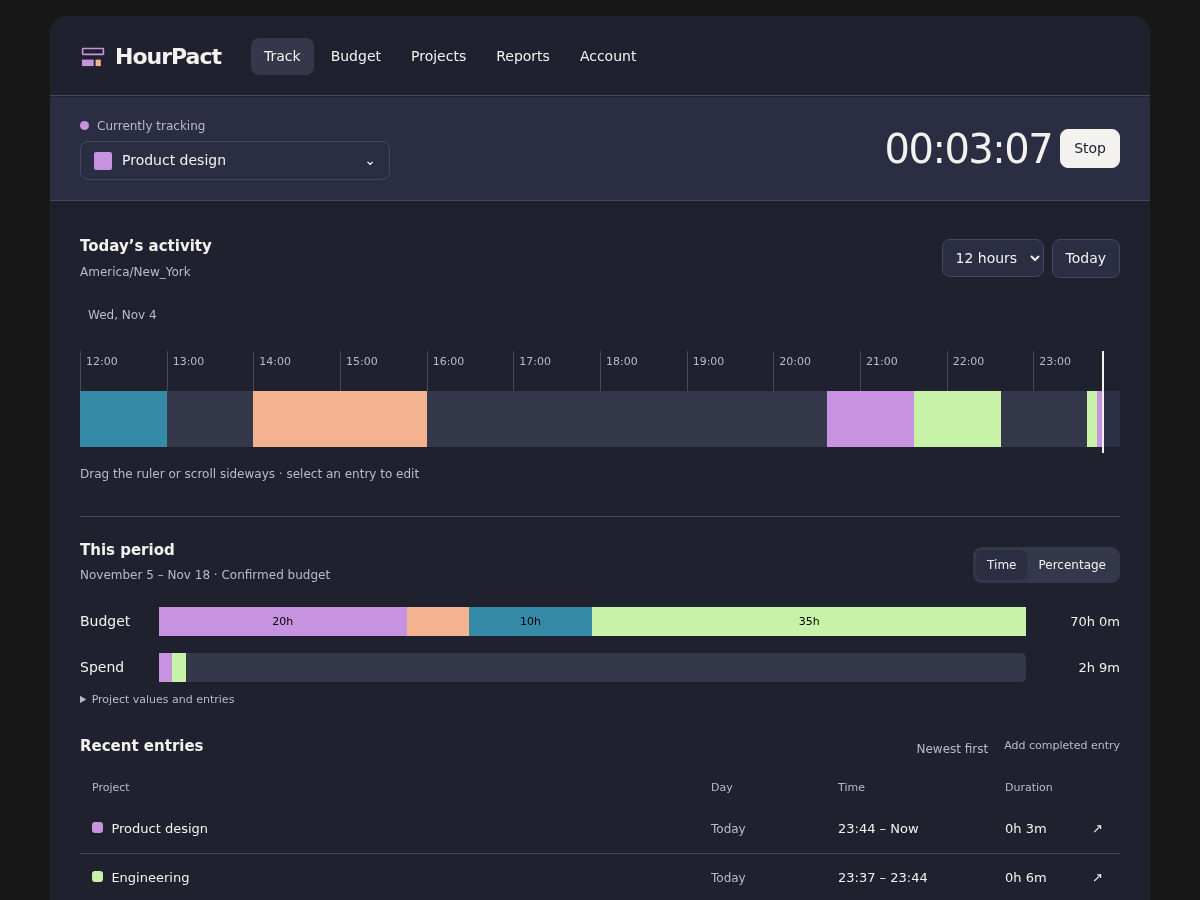
Actual HourPact interface · Sample data
You can’t improve what you can’t evaluate.
Start by making your time visible.
A few good questions
A time log records what happened. HourPact adds your intention: a project-level time budget for a period you choose. Comparing the two gives those recorded hours context.
No. “Ten hours on research over the next two weeks” is enough. Your budget doesn’t assign tasks to a time of day or limit the work you can record.
Keep tracking the work you actually do, including unplanned projects. Once locked, your budget stays as the original comparison point. A difference is something to understand, not an automatic failure.
Yes. Add or edit individual time entries. Your actual totals update, while a locked budget keeps your original intention intact.
Use Google or GitHub to sign in. New and returning users use the same provider flow, with no separate HourPact password.
Make your next period an informed one
Give your intentions a record. Give your next plan some perspective.